AI Video Editor Limitations Break Iterative Workflows
AI video editor limitations stem from unsolved multimodal timeline sync. Use this rubric to evaluate generative tools before they break your edit.

The demo looks effortless. A prompt goes in, a polished cut comes out, and the marketing implies your days of manual trimming are over. But the moment a director says "tighten act two" or "fix the jump cut at the music drop," most generative video editing tools collapse. The AI video editor limitations that surface during these moments are not rendering bugs or missing features. They stem from a deeper architectural problem. Current multimodal models can recognize what happens in a clip and even place events in rough chronological order, but they lack the spatiotemporal grounding needed to maintain frame-accurate synchronization across an entire timeline when any localized change is requested.
Stay in the loop.
Get the latest posts and exclusive content delivered to your inbox.
Join 10 readers. No spam. Unsubscribe in one click, anytime.
This is the gap between a compelling demo and a professional tool.
The Demo Versus the Post-Production Reality
Modern AI video editing products market themselves as autonomous collaborators. Adobe's AI video editing tools and similar platforms promise intelligent cuts, automatic pacing, and one-click assembly. These claims are not entirely false. The tools can generate impressive individual clips, suggest transitions, and perform coarse scene detection.
The breakdown happens during iteration. Professional post-production is not a single forward pass. It involves dozens of localized revisions: trim two seconds here, hold on this reaction shot, retime this transition to land on the beat, keep everything else locked. When you ask an AI editor to make one of these changes, the model often regenerates surrounding context or shifts adjacent cuts to accommodate the edit. The timeline you carefully constructed drifts. Audio alignment slips. Established transitions change character.
A human editor maintains continuous awareness of the entire timeline. They know that moving a cut at the three-minute mark affects the music sync at 3:15, and they adjust accordingly. Current AI tools do not hold that global state. They process the sequence, make a change, and lose the spatial and temporal relationships that held the edit together.
Defining Multimodal Timeline Synchronization
To understand why iterative edits break these tools, you need a precise definition of the problem. Multimodal timeline synchronization is the capacity to maintain frame-accurate alignment between video, audio, text, and spatial elements across a full editing timeline, and to preserve that alignment when any single element changes.
A professional timeline is not a linear sequence of clips. It is a web of interdependencies. A dialogue cue must land on a specific frame. A color transition must match a music swell. A lower-third graphic must track to a subject who moves across the frame. Each of these relationships is both temporal (when) and spatial (where).
Researchers studying temporal continuity in video annotation note that even frame-level object tracking across a single clip remains difficult, let alone maintaining coherent continuity across a complex multi-track edit. The problem scales badly. A thirty-minute edit involves hundreds of interdependent relationships across tens of thousands of frames.
When you ask an AI editor to "speed up the pacing in the middle section," the model must understand not just which clips to shorten but how those changes ripple through every connected element. Most tools handle this by regenerating the affected section wholesale, which destroys the precise cuts and audio sync you already established.
The Architecture Gap Between Sequence Prediction and Spatial Grounding
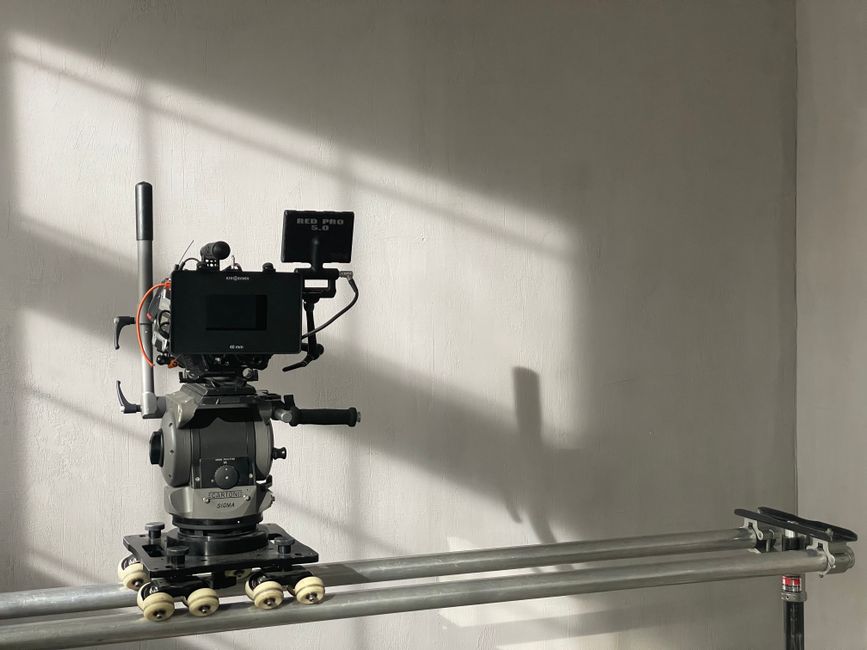
Sequence prediction is the engine that powers current multimodal models. Spatiotemporal grounding is the missing chassis that would let them drive frame-accurate edits. Current architectures have one but not the other.
| Sequence prediction handles well | Spatiotemporal grounding demands |
|---|---|
| Summarizing what happens in a clip | Binding meaning to an exact frame index |
| Retrieving and ranking relevant footage | Persistent pixel coordinates per tracked object |
| Suggesting a rough chronological cut order | Coordinate updates that survive a localized revision |
| Generating descriptive metadata and tags | Frame-accurate audio-visual locking across tracks |
What Sequence Prediction Does Well
Transformer attention processes video as feature tokens and predicts what follows from learned patterns. This works for summarization, retrieval, and rough cut ordering because those tasks tolerate approximation. The binding-persistence bottleneck is recomputation: each forward pass rebuilds the entire representation from scratch, so nothing survives between generations. A localized edit can invalidate coordinate references the model never stored durably.
What Spatiotemporal Grounding Demands
Meeting grounding demands would require three architectural additions current transformers lack. A persistent spatial-coordinate store would let tracked positions survive across forward passes. Durable frame-index bindings would let an edit reference and update a specific frame locally instead of regenerating the surrounding context. A separate spatial-memory buffer, distinct from attention, would hold coordinate references the model could address and modify without rebuilding the full sequence. In practice, the model would remember a subject occupied a specific pixel coordinate at a specific frame and still know it after a later trim, without recomputing the sequence.
Bolting these onto a transformer is non-trivial. Attention has no external memory addressing mechanism, so there is no native way to read or write a coordinate outside the current pass. Positional encodings approximate spatial and temporal relationships rather than indexing them precisely, meaning the model's internal geometry is an estimation, not a coordinate system a professional edit can rely on.
Research on spatiotemporal grounding documents these persistent limitations. Work on frame-level video understanding uses diagnostic benchmarks that expose unresolved fine-grained challenges, and the Perception Test benchmark from the University of Bristol provides diagnostic evidence that exact temporal and spatial reasoning remains an open problem. Studies on temporal consistency in generative video and multimodal positional encoding reinforce that these models approximate rather than persist spatial relationships. A NeurIPS 2024 workshop recap from Twelve Labs reinforces the pattern: frame-accurate grounding remains an active research problem, not a solved engineering challenge.
Five Workflow Failures Caused by Missing Temporal Awareness
This architectural gap produces predictable, repeatable failures. Here are five that surface in nearly every professional evaluation.
1. Context Regeneration Destroys Established Cuts
When you request a localized change, the model frequently regenerates the surrounding timeline rather than editing in place. The cuts you spent hours refining shift by several frames. Transitions you approved change their easing curves. The tool treats your edit as a prompt for a new generation rather than a surgical modification to an existing timeline.
2. Audio-Visual Drift After Visual Edits
Trimming or rearranging visual clips should preserve lip sync, music cues, and sound design alignment. In practice, AI editors often lose these relationships. Research on audio-visual alignment failures highlights how difficult it remains to maintain cross-modal temporal coherence after modifications. The audio track and the visual track become subtly desynchronized, and the desynchronization compounds with each additional edit.
3. Loss of Spatial Tracking Across Edits
If a graphic, caption, or effect is bound to a moving subject, any timeline change should update the spatial binding to match. Most AI tools cannot do this. Consider a lower-third graphic tracked to a subject's position at frame 420. When an upstream clip is trimmed by two seconds, that binding becomes stale. The model recomputed the timeline without persisting the original frame-index mapping, so the graphic either snaps to the wrong position or disappears entirely. Each edit forces a full re-tracking pass because no spatial coordinate system survives across revisions.
4. Ripple Effects Break Timeline Integrity
Professional editors expect ripple edits to propagate predictably. If you delete three seconds from the middle of a sequence, everything downstream shifts by exactly three seconds, and every linked element adjusts accordingly. AI tools often handle ripple edits inconsistently, with some elements shifting correctly and others remaining frozen at their original timecodes. The AI articulation barrier described by Nielsen Norman Group captures a related issue: users struggle to articulate precisely enough what they want changed, and the model lacks the grounding to infer the unstated constraints, so the output drifts from intent.
5. No Reliable Cut Point Detection at Frame Boundaries
Detecting the optimal frame to cut on requires understanding both the spatial composition of the shot and the temporal rhythm of the surrounding sequence. AI tools can suggest approximate cut points, but they often miss by several frames, and those frames matter at professional quality levels. Demonstrations of AI timeline handling show current tools generating and arranging clips in coarse blocks, illustrating how their cut suggestions cluster near shot boundaries rather than landing on a frame-precise edit point.
A Practical Rubric for Exposing AI Video Editor Limitations
You do not need to wait for vendors to be transparent about these limitations. You can expose them yourself with a structured stress test designed for post-production leads and pipeline engineers evaluating any generative or AI-assisted video editing workflow.
Build the test timeline once, then run every test against it. The goal is not to find a tool that passes all five. Expect most current tools to fail multiple tests. Use that failure pattern, not any single result, to decide where the tool can safely live in your pipeline.
| Test | Setup | Pass criteria | Fail criteria |
|---|---|---|---|
| 1. Localized revision | 30-second edit with three cuts, a music track, and a text overlay synced to a moment. Save it, then trim two seconds from the middle clip. | Only the middle clip changes. Surrounding cuts, music sync, and overlay timing stay frame-accurate. | Surrounding cuts shift, audio drifts, or the overlay moves. |
| 2. Iterative revision chain | Make five sequential revisions to the same timeline without exporting between them. Export after each and compare to the previous version. | Each export differs only in the intended location. | Unrelated sections change between exports, or cumulative drift exceeds a few frames. |
| 3. Multi-track integrity | Timeline with separate video, audio, and graphics layers. Change only the video layer. | Audio and graphics remain perfectly aligned. | Any element on the untouched layers shifts. |
| 4. Frame-specific instruction | Give an instruction referencing an exact frame, such as "cut exactly at the frame where the subject's hand touches the table." | The tool identifies the correct frame and cuts there. | The tool approximates, misses by several frames, or cannot interpret the instruction. |
| 5. Ripple consistency | Delete a clip from the middle of the timeline. | Clean ripple. All downstream elements shift by exactly the deleted duration. | Inconsistent shifts, orphaned references, or broken links. |
When setting up disposable trial accounts to avoid vendor tracking, run all five checks before committing to a license. A tool that fails three or four tests is not necessarily useless. It is signal about which stages of your pipeline it can support without breaking the edit.
When AI Actually Belongs in the Video Pipeline
The five stress-test failures each have a stage where they are harmless and a stage where they turn the tool from an asset into a liability.
| Stress-test failure | Safe stage (asset) | Dangerous stage (liability) | Why it matters there |
|---|---|---|---|
| Context regeneration | Asset generation, footage logging | Fine cut, final timing | Regeneration destroys approved cuts and forces a rebuild of work already signed off. |
| Audio-visual drift | Rough assembly, first-draft ordering | Multi-track sync, sound design | Drift compounds across revisions and reaches the mix as a desync nobody can trace to a single edit. |
| Spatial tracking loss | Standalone graphics, reference plates | Motion graphics, tracked overlays | A dropped or snapped binding means manual re-tracking on every revision, erasing the time savings. |
| Ripple inconsistency | Selects, string-outs | Any locked multi-track timeline | Unpredictable propagation orphans references and breaks linked elements downstream. |
| Cut-point detection | Logging, scene tagging | Frame-specific trimming | Missing by a few frames is invisible in a rough cut and unacceptable in a delivered one. |
As an illustrative scenario, consider a mid-size post team that routed a promotional cut through a generative editor for pacing notes, then accepted its suggested trims directly into the fine cut. The tool regenerated two transitions to accommodate a single trim, audio for a talking-head segment drifted by roughly half a second across several revisions, and by the time the edit reached color and sound the sync was unrecoverable without re-cutting from the approved offline. The team lost days rather than hours, not because the tool failed to generate video, but because it was placed in a stage its architecture cannot support.
The rule is simple. Use AI where sequence prediction is the job and frame-accurate grounding is not required. Keep it out of any stage where a few frames of drift or a single regenerated transition unravels work that is already locked.
Frequently Asked Questions About AI Video Editor Limitations
Which AI video editors have these limitations?
Most current generative and AI-assisted editing tools share the same bottleneck. Text-to-video generators, AI-assisted NLE features in suites like Adobe Premiere and DaVinci Resolve, and standalone AI editing platforms all rely on multimodal sequence prediction rather than durable spatiotemporal grounding. The limitation is architectural, not vendor-specific.
Will newer multimodal models solve timeline sync?
Scaling model size improves sequence understanding but does not fix the core problem: attention recomputes representations each pass rather than maintaining durable coordinate references. The signals to watch are architectural. External memory addressing in transformer variants would let a pass read and write coordinates without rebuilding the sequence. Persistent state across passes, as in state-space architectures, could carry spatial bindings forward, though not yet addressable as a frame-accurate system. Retrieval-augmented video models query stored frame indexes, but their granularity is too coarse for surgical edits. Durable frame-accurate grounding remains an open challenge.
How do professionals work around these limitations?
The most reliable approach is to restrict AI tools to stages where frame-accurate grounding is not required: footage logging, rough assembly, transcript-based selects, and standalone clip generation. For any stage that demands frame-level precision, professionals export AI output into a traditional NLE and make timing, sync, and spatial adjustments manually. Some teams pre-render AI-generated segments as flat media before importing them, treating the output as source footage rather than an editable timeline.
The Bottom Line for Professional Workflows
The AI video editor limitations that matter most are not about resolution, rendering speed, or feature counts. They are about whether the tool can maintain a frame-accurate, spatially grounded timeline under iterative revision. Today, the answer for most current products is no. The underlying multimodal models understand sequence but not grounding, and that distinction determines whether a tool survives contact with a real post-production workflow.
Until the architecture catches up, the most valuable skill a video team can develop is knowing exactly where AI helps and where it quietly breaks the edit.
Stay in the loop.
Get the latest posts and exclusive content delivered to your inbox.
Join 10 readers. No spam. Unsubscribe in one click, anytime.
About the author
Rachel Brennan
AI Research Editor
Rachel tracks AI research so the rest of us don't have to. With a background in NLP and a habit of reproducing papers, she turns new models and methods into ideas you can actually use.
Related Posts

Googlebook for AI Development, Judged by Two Numbers
Is the Googlebook for AI development worth $899? The memory capacity and bandwidth math says cloud client. We compare MacBook local models and API paths.

Qwen3.8-Omni-Flash vs Gemini Flash Real Cost per Task
Qwen3.8-Omni-Flash vs Gemini Flash, normalized to dollars per multimodal task across audio and video billing units, tool loops, and self-host math.

Gemini 3.8 Live Extended Thinking Needs a Latency Budget
Gemini 3.8 Live extended thinking adds reasoning time to a realtime voice agent. The latency-budget math tells you when it helps and when it is dead air.