Smartsheet MCP Server Teardown and Build Spec
Teardown of the Smartsheet MCP server on AWS: what tracker context adds to agent answers and how to permission the same pattern in your stack.

The launch post for the AWS and Smartsheet MCP integration leads with a number: more than 40 tools. The generally available Smartsheet MCP server behind that number lets an AI assistant explore, create, and manage sheets, rows, columns, and automations, and the detail that should stop an engineer mid-scroll sits further down the page. The toolset can update task statuses, create rows, and modify project structure, which makes this a mutation surface on a shared system of record rather than a read-only context feed.
Stay in the loop.
Get the latest posts and exclusive content delivered to your inbox.
Join 10 readers. No spam. Unsubscribe in one click, anytime.
Read the announcement as a build spec and it splits cleanly in two. The read half, live statuses, assignments, and dates, is what grounds agent answers in what is happening this sprint instead of what a training corpus remembers. The write half, reassignments, timeline edits, status flips, is where permissions, staleness handling, and audit trails decide whether the agent ever leaves demo stage. Ship the reads first and treat every write as a privileged, human-gated feature. This teardown walks that split end to end, then hands you the pattern for rebuilding it against Jira, Linear, or Asana.
What the Smartsheet MCP Server Actually Exposes
The launch post describes a generally available Model Context Protocol server for Smartsheet's work management platform, and it is unusually specific about the surface. Confirmed at announcement level:
- More than 40 tools spanning sheets, rows, columns, and automations, with read, write, and manage capability in one toolset.
- Three regional endpoints (mcp.smartsheet.com, mcp.smartsheet.eu, mcp.smartsheet.au) speaking Streamable HTTP for MCP spec versions 2025-06-18 and 2025-03-26.
- OAuth 2.0 or a Personal Access Token for authentication, with a Business, Enterprise, or AWM plan required.
- Two demoed clients: Amazon Quick, the managed agentic workspace with a prebuilt connector and org-wide OAuth, and Kiro, the agentic IDE where a developer drops in a JSON config block and a personal token.
- Structured context instead of raw payloads: row relationships, column types, cell history, and comments, which the post claims compounds into lower token cost and latency at hundreds of queries across a portfolio.
Not confirmed: the full tool-by-tool manifest. The post names ten tools in passing (get_sheet_summary, search, get_columns, update_rows, create_discussion_on_row, list_reports, get_report, list_dashboards, get_dashboard), and the rest live in Smartsheet's developer docs. Treat the named ten as the real surface until the docs say otherwise.
The governance section makes one claim worth pausing on: the security model rides the same permissions layer as the Smartsheet REST API, in the announcement's words, not a new trust boundary. That is simultaneously reassuring and the strongest argument for a read/write split, because the inherited boundary carries the API's write power with it. An agent authenticating as you can write anywhere you can write, unless someone scopes it down. The post does note that write-tool access is configurable by user group and that admins can disable AI features organization-wide. The default posture, though, is a single credential that both reads and writes. The split is yours to enforce.
Why Live Tracker Context Changes Agent Answers
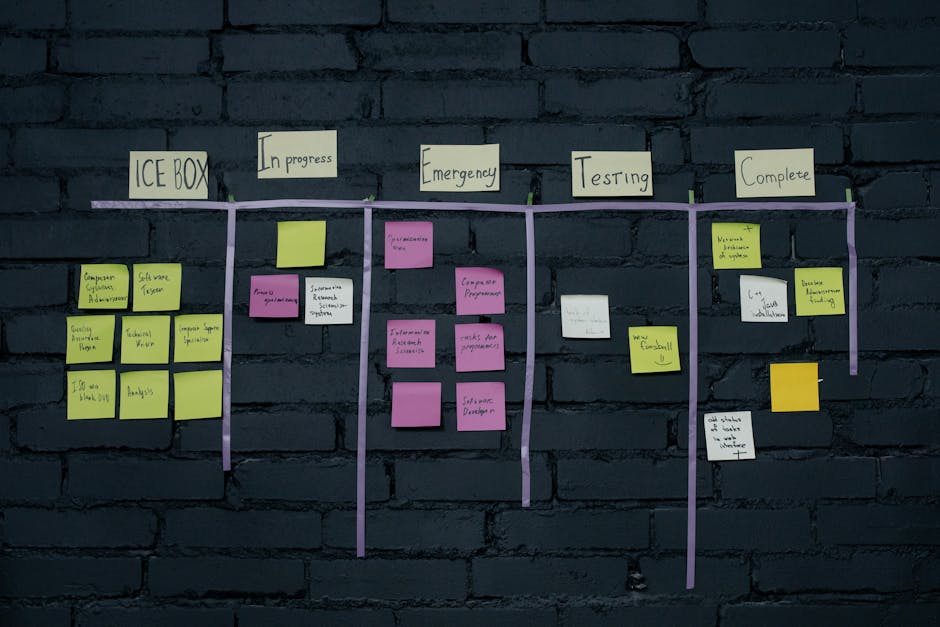
Work questions are where generic assistants embarrass themselves, and the failure has two distinct sources. A model answering from training data reports the team as it existed months ago: who owned auth then, when the milestone was planned to land. Document-only RAG does better on intent and worse on reality, because specs and status docs describe what was supposed to happen. The sheet is the record of what actually happened. Live tracker context for AI agents closes that gap, and the improvement shows up in specific answer patterns:
| Question you actually ask | Stale model or docs-only RAG | With live tracker context |
|---|---|---|
| Who owns the auth blocker? | The owner at training time, or the spec's author | The current assignee on the row |
| When does the Q3 milestone land? | Last quarter's planned date | The current end date, including this week's slip |
| What slipped this week? | Unanswerable, no temporal ground truth | Status and date changes visible in cell history |
| Who is overloaded? | Vibes | Open items rolled up by assignee |
| What depends on this task? | Invented dependencies | Predecessor relationships on the rows |
None of these questions require the agent to write anything. They need current reads plus structure, which is why the announcement's most underrated engineering decision matters: the server returns precisely shaped project context rather than raw API payloads. Grounding an answer in live data is only useful if it is cheap enough to do on every question, and a raw JSON dump of a 400-row sheet would price that out.
The Read Tools That Do the Real Work
The read tools named in the announcement cluster into five categories, and five is roughly what any tracker integration needs. This is the minimal viable read surface:
| Read category | Smartsheet tools named in the post | What it unlocks |
|---|---|---|
| Search and filter | search | Ownership and blocker questions without dumping whole sheets |
| Structure and summary | get_sheet_summary, get_columns | Column types and relationships so the agent navigates before fetching |
| Item fields: status, assignee, dates | via search and summary results | Timing, slippage, and workload questions |
| Relationships and history | row relationships, cell history | Dependency chains and what changed since last week |
| Cross-sheet rollup | list_reports, get_report, list_dashboards, get_dashboard | Portfolio health across projects |
One design note: name tools after the question, not the endpoint. find_blocked_items and workload_by_assignee route better than search_v2, because the model picks tools from their descriptions. The MCP tools specification defines the primitive the agent actually sees, with each tool carrying a name, description, and input schema, plus annotations such as readOnlyHint and destructiveHint that mark whether a tool mutates state. Those annotations are the machine-readable version of this article's whole argument, and they set up the next section.
Write Tools as a Mutation Surface
The write side of the toolset is where the demo math changes. update_rows, create rows, modify project structure, create_discussion_on_row: these are the tools that can corrupt records entire teams depend on. They eventually land on the same REST surface as everything else, the update rows endpoint, and the row payload carries version information that increments as the sheet changes, exactly the signal a stale-write guard needs. Whether the MCP layer exposes that guard is a policy choice, and policy is the difference between a demo and a production system.
Three concrete write failures, none of which can appear in a launch demo:
- Stale read, blind write. The agent reads the sheet at 9:00, a PM reassigns a task at 9:10, and the agent writes at 9:15 based on the world as it was at 9:00. The record now disagrees with reality, and nothing errors.
- Wrong target. A fuzzy search for API caching matches API hardening. The agent updates the wrong row, and sprint metrics drift for weeks before anyone notices.
- Unlogged mutation. A status flips to Complete with no trace of who decided that or why. The burndown changes; the retro data is quietly wrong.
Reassigning a task sounds benign until an agent does it to the wrong row at the wrong time. The announcement's own mitigation is worth copying and hardening: chain every write with create_discussion_on_row so each change leaves a human-readable note. As a prompt suggestion that is advisory, and advisory audit trails evaporate the first time an agent improvises. Wrap it server-side instead: make the write tool itself require the explanatory note, so the trail is structurally mandatory rather than politely requested.
The announcement also contains its best write example: a Kiro hook that flips a row to Complete when the fix's commit lands. Hold that thought; the build order returns to why it is the template for your first production write.
A Permission Model for Production

Permissions for MCP write actions fail when they are one decision instead of five. Layer them:
- Split identities. The read path runs on a read-only service account or an OAuth token whose scopes exclude writes. The write path, if it exists, gets its own credential with the narrowest scope that covers the intended action. Least-privilege OAuth scopes for an MCP server mean the token physically cannot mutate, whatever the prompt says.
- Allowlist tools per audience. Do not expose the full manifest to every client. The server controls which tools it lists for whom, the same control Smartsheet ships as write-tool access by user group, and the spec's annotations give you the taxonomy to enforce it mechanically.
- Gate mutations on consent.MCP security best practices call for explicit authorization and consent around tool use. The practical form is a human confirmation with a rendered diff: which row, which field, old value, new value. An approval step the agent cannot skip.
- Centralize through a gateway. For platform teams running many MCP servers, a gateway that fronts them with central authentication and tool filtering beats per-client config drift. AWS ships exactly this in the Bedrock AgentCore gateway; the pattern is vendor-neutral even if the product is not.
- Log mutations where you can query them. A chat comment is not an audit trail. An audit trail for write operations needs actor, timestamp, tool, input, and before/after state in an append-only log. Enterprise agent governance guidance treats agents writing to systems of record as an organization-level concern with monitoring and audit expectations, and that framing is right.
Replicating the Pattern in Jira, Linear, and Asana
The read/write split transfers because the entities transfer. Jira, Linear, and Asana expose the same five concepts through documented APIs with scoped OAuth, so replicating the Smartsheet pattern is mostly adapter work plus a copy of your policy layer.
| Concept | Smartsheet | Jira Cloud | Linear | Asana |
|---|---|---|---|---|
| Work item | Row | Issue | Issue | Task |
| Owner | Contact cell | Assignee field | Assignee | Assignee |
| Status | Column value | Status via workflow transitions | Todo, In Progress, Done, custom states | Completion plus custom fields |
| Dates | Start and end cells | duedate and date fields | Date fields | due_on, start_on |
| Dependency | Predecessor column | Issue links | Blocked-by relations | Task dependencies |
Where the stacks genuinely differ is transport and shape:
- Jira Cloud is REST v3 with JQL search, and the Jira REST v3 issues API group covers search, single-issue reads, assignee changes, and transitions in one place. Granular OAuth scopes split reads from writes per resource, so if you want to give an LLM read-only access to Jira, request only the read scopes and the token cannot write even under prompt injection. Status changes must also pass through workflow transitions, a server-side gate you get for free.
- Linear is GraphQL. One query returns a consistent snapshot of issue, assignee, state, and blocked-by relations, so your reads at least agree with each other, which shrinks one class of staleness bugs before you write a line of guard code.
- Asana is REST with field selectors. The Asana API feature docs cover
opt_fieldsfor tight payloads, in the same spirit as Smartsheet's structured context, plus webhooks for change detection without polling.
Concurrency is the last porting detail, and skipping it is the classic source of silent overwrite bugs in agent-driven edits. Mature tracker APIs ship versioning and conflict semantics, from Smartsheet's row versions to Jira's edit metadata, and an MCP write layer should check them before every mutation rather than trusting a read from thirty seconds ago.
Failure Modes the Demo Never Shows
Launch demos are single-user, five minutes long, and observed, which is precisely the environment where these cannot appear:
| Failure mode | How it shows up | Detection and mitigation |
|---|---|---|
| Read/write staleness | Agent writes against a row changed seconds earlier | Re-fetch immediately before the write, compare version or modified timestamp, abort on mismatch |
| Permission drift | A rotated token quietly arrives with broader scopes | Assert expected scopes at startup and on every refresh; alert on any delta |
| Scope creep | Each new use case just needs one more tool | Version-control the tool manifest and diff it in review, the way you would diff an IAM policy |
| Silent partial failure | 7 of 10 rows in a bulk edit update; the agent reports success | Inspect per-row results, surface partial failure explicitly, never infer batch success from one HTTP 200 |
All four are operational, not architectural. They show up in week three, after the demo, when nobody is watching the agent anymore.
A Build Order for Your Own Stack
Sequenced, the whole argument compresses to four moves:
- Ship five read tools on a read-only token. Search, summary, fields, relationships, rollup, pointed at one workspace. Whether you connect an AI agent to Smartsheet with MCP or stand up an MCP Jira integration or MCP Linear integration from scratch, this step alone answers most of the questions people actually ask.
- Instrument before you expand. Log every question and every tool call for two weeks. You will likely find that two or three of the five tools answer most real traffic; delete the rest and keep the surface small enough to reason about.
- Add exactly one write, wrapped. A status flip that requires an explanatory note and a human diff approval, on a separate token. Watch whether approvers rubber-stamp; if they always do, the gate is theater and the write is not ready.
- Escalate writes by blast radius, slowly. Reassignments, timeline edits, and deletes touch other people's work and stay human-only the longest. The criteria are frequency, reversibility, and how many people's records one mistake corrupts.
That Kiro hook from earlier is the template for step 3: a narrow trigger (a commit landing), a single field (status), a reversible action, and an originating event already logged in version control. Small trigger, small blast radius, independent audit record.
The headline number, 40-plus tools, is the wrong unit of progress anyway. The unit that matters is the first mutation you can defend in an incident review. Reads get you a smarter agent this week; disciplined writes are what let it keep the keys.
Stay in the loop.
Get the latest posts and exclusive content delivered to your inbox.
Join 10 readers. No spam. Unsubscribe in one click, anytime.
About the author
Megan Caldwell
AI Engineering Lead
Megan has spent the last eight years building production ML systems, from recommendation engines to today's language model pipelines. She writes about the engineering that holds up under real load: retrieval, evaluation, and the unglamorous parts of shipping AI software.
Related Posts

Is a Consumer AI Agent Worth It? $550 Saved, $64 Wasted
Wired's consumer AI agent trial audited. $550 saved, $64 wasted, with per-task economics, failure modes, security risks, and the adopt-versus-build call.

Devin GPT-6 Astra Self-Testing Moves Review to Evidence
Devin GPT-6 Astra self-testing shifts code review from reading diffs to auditing evidence. Here is the pattern, its failure modes, and audit criteria.

Meta's AI Second Brain Runs on a Knowledge Supply Chain
Meta's AI second brain shows why agents live or die on the knowledge supply chain, not the retrieval stack, and what small teams can copy first.