Grok vs Copilot in Excel for Builders
Grok vs Copilot in Excel is a clash of integration architectures. Learn how Copilot's deep runtime compares to Grok's sidebar overlay for builders.

When xAI shipped a Grok Excel add-in on the Microsoft Marketplace, the launch coverage chased the model. Builders should chase the architecture, because integration depth is what actually decides which tool survives contact with real data. Microsoft embeds Copilot into the spreadsheet runtime, where it can read and write cell ranges, execute Office Scripts, and chain actions across a workbook. xAI's Grok add-in operates as a sidebar overlay that translates prompts into workbook actions, one layer removed from the execution surface Copilot touches directly. The Grok vs Copilot in Excel question is therefore an architecture question, not a benchmark question.
Stay in the loop.
Get the latest posts and exclusive content delivered to your inbox.
Join 10 readers. No spam. Unsubscribe in one click, anytime.
This piece skips the model leaderboards. Builders who care about raw intelligence can read head-to-head AI model rankings elsewhere. What matters here is which tool actually builds better spreadsheets, where each breaks on real pipelines, and how to pick between them based on the shape of the work.
Runtime Integration vs Sidebar Overlay
Copilot's depth advantage is concrete. In 2025 Microsoft announced a COPILOT function callable at the cell level inside a workbook, letting builders invoke the assistant directly from a formula. Copilot also reads structured tables and named ranges, executes Office Scripts, and operates on Power Query logic without leaving the workbook surface. The official Copilot in Excel docs describe an assistant that manipulates the spreadsheet object model itself.
Grok's approach is fundamentally different. The add-in adds a ribbon button that opens a chat pane. Prompts become workbook actions through translation, not direct runtime binding. Microsoft's own add-in warning confirms the tradeoff: when active, Grok can both modify the document and transmit data externally. That is the overlay pattern, an external process poking the workbook through exposed APIs, versus Copilot's native execution path.
The architectural summary:
| Layer | Microsoft Copilot | xAI Grok add-in |
|---|---|---|
| Execution model | Native runtime, cell-level functions | Sidebar overlay, prompt-to-action translation |
| Data access | Workbook object model, tables, named ranges, Power Query | Read and change document via add-in APIs |
| Web access | Restricted by tenant policy | Built-in web search is a first-class feature |
| Script execution | Native Office Scripts | Limited, via add-in action surface |
| Plan gating | Copilot Pro or Microsoft 365 Copilot license | SuperGrok, Heavy, Business, Enterprise plans |
Read that table as a stack of tradeoffs, not a feature checklist. Copilot's depth costs flexibility on external data. Grok's reach into the web costs execution precision.
Grok vs Copilot in Excel on Five Building Tasks

Architecture only matters when it meets real work. Each task below opens with the specific failure mode a builder hits, not a restatement of the architecture summary.
1. Formula generation
The failure mode that catches builders off guard is the column-reference hallucination. Copilot tends to produce formulas that respect local column types and named ranges because it inspects the active workbook, though it can still slip when a header is ambiguous or a table was renamed mid-session. Grok's failure runs the opposite direction. With real-time web access, it surfaces current logic for obscure edge cases and recently changed functions, yet web-grounded models drift toward generic syntax that may not match a workbook's actual structure. Practical guidance on AI formula generation limits documents this split: workbook grounding narrows but localizes the model, while web grounding broadens but loosens it.
2. Data cleaning
On a five-step cleaning pipeline across related columns, the translation hop degrades predictably. Copilot can propose a conditional column, suggest a fill-down, and apply a text transform, then execute each step in place against the same table object. Grok works through prompt translation, so each step produces a proposed formula the builder copies in manually, and context about what step one did to the data can be lost by step three. For one-shot cleaning on a single table, the gap is negligible. For chained transformations where step five depends on what step two produced, the manual overhead compounds quickly.
3. VBA and Office Scripts creation
Both tools generate code, but the cost lies in the debugging loop, not the generation. Copilot can execute and debug Office Scripts inside the workbook runtime, an end-to-end loop documented in Excel AI workflow examples. Grok emits VBA or Office Scripts as sidebar text, which means the builder pastes it into the editor, runs it, reads the error, copies the error back into the sidebar, and iterates. For complex scripts, that paste-run-debug loop can consume more time than writing the code from scratch.
4. External connections
The failure mode here is not performance but access policy. A builder pulling a public dataset, a stock price table, or an exchange rate snapshot can do it in one Grok prompt, because Grok fetches live web data directly into the prompt context. Copilot's enterprise data boundaries typically block that pattern by default: public web data often does not flow cleanly into the spreadsheet context because tenant policy and grounding rules restrict it. The builder who needs internal ERP data enriched with public market data hits this wall on the first attempt and has no workaround within Copilot.
5. Chart automation
The gating on this task is subscription-based, not complexity-based. Copilot can read a selected range, suggest a chart type, and insert it natively. Grok can build a chart through the overlay translation layer, but every operation is gated by subscription status. Launch coverage showed that even simple requests failed without an active plan, not just complex ones. A builder on a free or rate-limited tier cannot generate any chart, regardless of how straightforward the request.
Model intelligence benchmarks like those comparing recent AI generations rank reasoning capacity, but they do not measure execution surface, which is what actually decides multi-step spreadsheet work.
Copilot Weaknesses in Enterprise Boundaries
Copilot's depth has a real cost. Microsoft's enterprise data boundaries are strict by design. The Microsoft 365 Copilot privacy documentation describes tenant-level controls that prevent certain prompts and grounding sources from crossing organizational boundaries. For a regulated enterprise, that is a feature. For a builder mixing internal ERP data with public market data, it is a wall.
Three failure patterns follow from the runtime model itself, not from policy alone.
- Reasoning opacity in native cells. When Copilot writes a formula into a cell, the computation graph carries the result but not the reasoning chain behind it. A reviewer auditing the workbook later cannot reconstruct why the model chose that approach. The output is embedded in the calculation engine; the logic is not. An overlay tool at least leaves its reasoning in conversation history, where a reviewer can read it.
- Model updates propagate into live workbooks. Copilot executes inside the spreadsheet runtime, so any change to the underlying model can alter how a COPILOT function behaves in a workbook a builder already shipped. There is no version pinning. An overlay architecture insulates the workbook from this risk because the model never touches the calculation graph directly.
- Tier-dependent runtime surfaces. Copilot Pro and M365 Copilot expose different capabilities to the workbook. A builder who develops on one tier and shares the file with a colleague on another cannot guarantee that COPILOT functions or script features behave the same way. Overlay tools apply a consistent action surface across plans, gating only on usage volume.
For internal-only pipelines, these are non-issues. For work that spans audit requirements, update cycles, or mixed license environments, they are structural.
Grok Weaknesses in Execution and Access
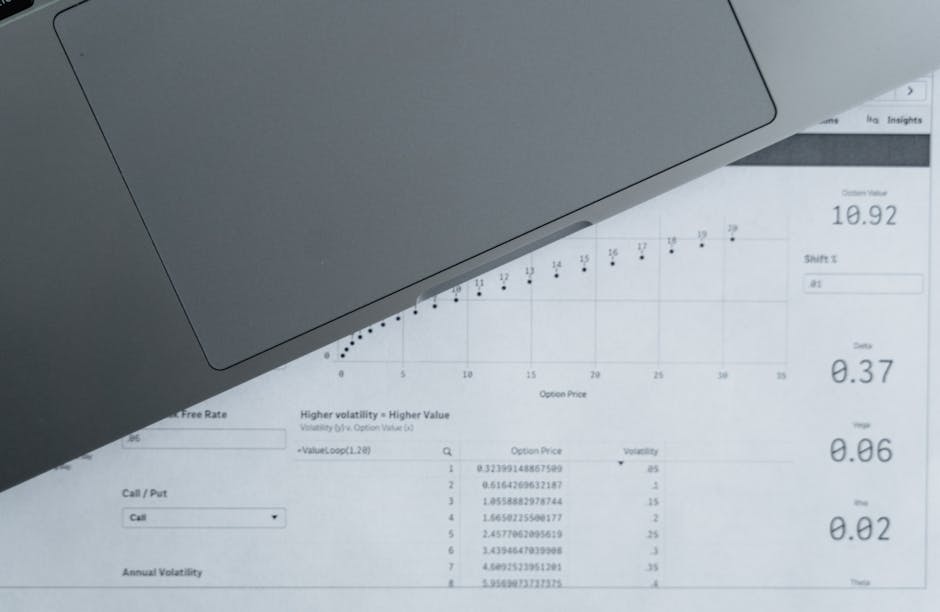
Grok's weaknesses are the inverse. The overlay excels at fetching external context but falls short on executing deep spreadsheet actions, and that gap shows up on three fronts.
- Mental model mismatch. Builders expect spreadsheet AI to behave like an IDE: stateful, debuggable, with context that persists across operations. Grok's overlay delivers chat-like interaction where each prompt is a discrete request. A builder debugging a chained transformation cannot step through intermediate states the way Copilot's runtime execution allows, because the overlay holds no persistent workbook session.
- No diff before changes land. When Grok proposes a workbook modification through the overlay, the builder cannot review a version-controlled diff before the change is applied. Copilot's runtime has a similar gap, but its discrete table operations limit blast radius per step. Grok's broader action surface means a single misunderstood prompt can touch more of the workbook at once, and rollback is manual.
- Security review overhead. Microsoft's add-in warning confirms that Grok can both read document contents and transmit data externally when active. For teams deploying the add-in across builders, that dual capability triggers a security review that tenant-bound tools can skip. The Grok Enterprise API offers more granular data-handling controls for teams building external pipelines, but the Excel add-in operates with the permissions Microsoft's warning describes.
The Builder Selection Framework
Picking between these tools is a question of pipeline shape, not preference. The decision matrix below covers the common builder profiles.
| Builder profile | Recommended primary tool | Why |
|---|---|---|
| Internal data pipelines, regulated tenant | Copilot | Runtime execution plus enterprise boundaries align |
| External data synthesis, market research | Grok | Web access is first-class, no tenant wall |
| Multi-step cleaning and transformation | Copilot | Native table operations compound across steps |
| Rapid prototyping with public datasets | Grok | Fetch and translate in one prompt |
| Script automation and debugging | Copilot | End-to-end execute-and-debug loop |
| External enrichment layered onto internal data | Both | Grok for fetch, Copilot for execution |
One cost factor is worth noting. The Grok add-in is free to install but requires a SuperGrok, Heavy, Business, or Enterprise plan for useful operation. Copilot requires a Copilot Pro or Microsoft 365 Copilot license. For builders evaluating total cost of ownership, neither tool is free at the point where it becomes productive.
The framework maps onto a broader landscape tracked in spreadsheet data automation rankings, where integration depth and external reach are treated as separate axes rather than a single score.
The Grok vs Copilot in Excel decision ultimately comes down to pipeline shape. If you need automated native execution on internal data, Copilot's runtime integration wins. If you need agile external data synthesis without enterprise walls, Grok's overlay wins. Few builders need only one. The ones who choose well tend to know exactly which side of that line their pipeline lives on.
Stay in the loop.
Get the latest posts and exclusive content delivered to your inbox.
Join 10 readers. No spam. Unsubscribe in one click, anytime.
About the author
Rachel Brennan
AI Research Editor
Rachel tracks AI research so the rest of us don't have to. With a background in NLP and a habit of reproducing papers, she turns new models and methods into ideas you can actually use.
Related Posts

SteerTTS Review, a Prosody Control Plane for Voice Agents
SteerTTS review: does z-score prosody control work as the control plane for LLM voice agents? Latency math, CPU feasibility, and a steerability harness.

Beam 501B Self-Hosting Cost, When Owning Beats Renting
We audit the real Beam 501B self-hosting cost, from GPU memory floors to fine-tuning and ops, and where owning weights beats renting a frontier API.

OpenAI Amp Review, the Builder's Verdict on a General Agent
This OpenAI Amp review maps GPT-6 Astra, Ultrafast, and GPT-Live-1 to agent duties, explains ChatGPT sign-in permissions, and gives an adopt-or-pass rubric.